Smart home technology has moved from a hobby for gadget fans to something ordinary UK households use every day. A smart thermostat, a video doorbell and a few smart bulbs can make a home warmer, brighter and safer. But they only save money if you choose the right ones and use them properly. A drawer full of cheap gadgets that nobody uses saves nothing. This guide looks at the smart upgrades that are genuinely useful in a UK home, what they cost, how much they can save, and the mistakes to avoid.
Start With the Basics: Wi-Fi and a Hub
No smart device works well on weak Wi-Fi. Before you buy anything, check that your broadband reaches the rooms where devices will live. Thick stone walls in older UK homes and concrete floors in flats can block signals. A mesh Wi-Fi system, which uses two or three small units around the home, usually costs £100 to £250 and fixes most dead spots. A hub is the brain that lets devices from different brands work together. Amazon Alexa, Google Home and Apple HomeKit are the main options in the UK. Pick one system and stick with it. Mixing systems often leads to devices that cannot talk to each other. Check that anything you buy says it works with your chosen system before you order it.
Smart Heating: The Biggest Money Saver
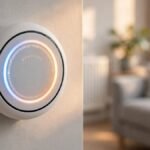
Heating is where smart technology saves the most money. In a typical UK home, heating is the largest energy bill. A smart thermostat lets you control the heating from your phone and set different temperatures for different times of day. Most people save around 8% to 16% on heating bills with one, according to figures published by manufacturers. A smart thermostat costs £150 to £250 including installation, and it works with most UK combi boilers. Smart thermostatic radiator valves, or TRVs, cost £40 to £80 each and let you heat only the rooms you use. In a four-bedroom house, fitting smart TRVs in the main rooms can cost £300 to £500. That sounds like a lot, but heating an empty spare room all winter costs more. If your home has a heat pump, check that the smart controls are compatible before you buy.
Smart Lighting: Cheap, Simple and Effective
Smart lighting is the easiest place to start. A smart bulb costs £10 to £25 and screws into an ordinary light fitting. You can turn lights on and off from your phone, set them to come on at sunset, and dim them for the evening. That saves money in two ways. LED bulbs use far less electricity than old halogen bulbs, and smart controls mean lights are not left on in empty rooms. Smart switches are better for rooms with many downlights, because they control the whole circuit. A smart switch costs £30 to £60 and should be fitted by a qualified electrician. In the UK, any work on fixed wiring must meet Part P of the Building Regulations. If you are not sure, use an electrician registered with NICEIC or a similar scheme.
Smart Security: Doorbells, Cameras and Locks
Security is the area where people buy first, often after a break-in nearby. A video doorbell costs £100 to £200 and shows you who is at the door from your phone. That is useful for deliveries and for checking on the home while you are away. Outdoor cameras cost £80 to £200 each and record when they detect movement. A smart lock costs £150 to £250 and lets you give a cleaner or a guest a temporary code instead of a spare key. But security devices can create new problems. If your internet goes down, some devices stop working. Make sure the doorbell and cameras store recordings safely, and check that they meet UK data protection rules if they film a public pavement. Good passwords and two-factor authentication matter far more than the camera itself.
Energy Monitoring: See Where Your Money Goes
A smart meter is free from your energy supplier in the UK and shows you how much electricity and gas you are using right now. That alone helps many households cut waste. If you want more detail, a home energy monitor costs £50 to £100 and shows the energy use of individual appliances. Smart plugs, at £10 to £20 each, are a cheaper option. They let you switch off a TV, a games console or a lamp from your phone. They are especially useful for the things that use power on standby. A games console on standby can use a surprising amount of electricity over a year. Smart plugs pay for themselves quickly if you use them to cut standby power.
Privacy and Safety: The Boring Bit That Matters
Smart devices are connected to the internet, so security matters. Use a different password for each device and for your Wi-Fi. Turn on two-factor authentication on your smart home account. Keep the software on your devices up to date, because updates fix security problems. If you sell or give away a device, wipe it first so the next owner cannot see your details. Think about where you put cameras and microphones. A camera in a bedroom or bathroom is a bad idea. A video doorbell that records the pavement is usually fine, but you must respect the privacy of neighbours. The Information Commissioner’s Office has guidance on domestic CCTV in the UK.
What Smart Upgrades Actually Save
It is easy to overstate how much a smart home saves. The honest answer is that the heating controls and LED lighting save the most, while most other gadgets save little. A smart thermostat should save a few hundred pounds a year on a typical UK heating bill. Smart lighting saves the cost of leaving lights on. Smart plugs save money on standby power. Cameras and doorbells do not save money at all, but they can give you peace of mind. A smart lock does not save money either, but it is more convenient than carrying keys. When you choose upgrades, think about comfort and convenience as well as money. A warmer house and a well-lit home are worth buying for their own sake.
Costs and Payback
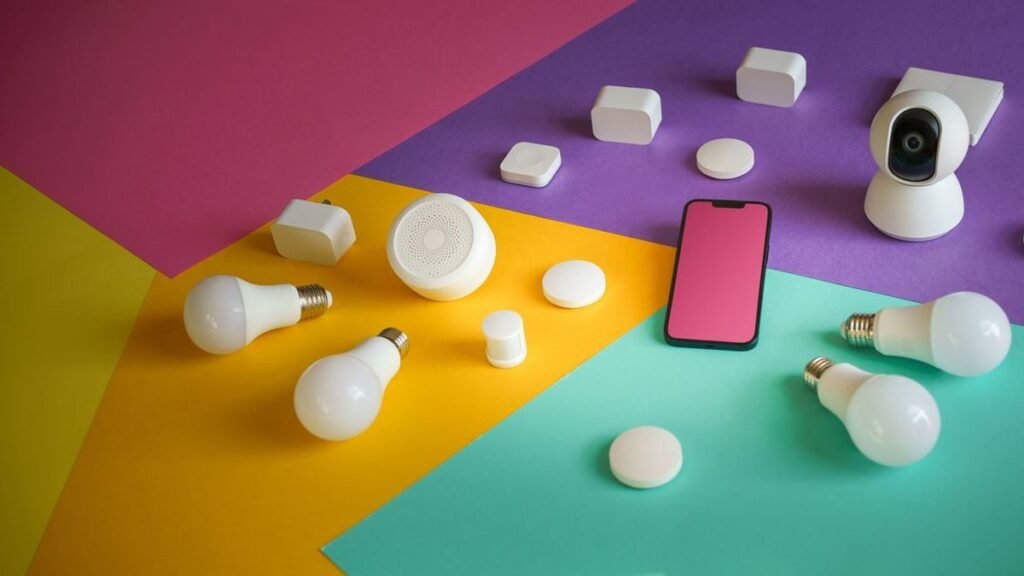
A sensible starter kit for a UK home costs about £500 to £700: a mesh Wi-Fi system, a smart thermostat, four or five smart bulbs, and a video doorbell. Add smart TRVs and a camera or two and you may spend £1,000 to £1,500. Most households should see the heating savings pay for the thermostat and TRVs within two to three winters. Lighting pays back more slowly, but bulbs last for years. Security devices are a cost, not an investment, and they rarely add value to a home. They may help a home sell, but buyers do not pay more for them. If you rent your home, ask your landlord before fitting anything that changes the wiring or the locks. Smart bulbs and plugs are fine in a rental, but a smart lock is not.
Mistakes to Avoid
There are a few common mistakes. Buying devices from different systems that do not work together is the most common. Overloading your Wi-Fi with too many devices is another reason to buy a mesh system first. Using weak passwords or leaving default passwords in place is a security risk. Buying the cheapest smart lock, camera or bulb you can find often costs more in the end. Look for brands with a good record of support and software updates. Brands that stop updating their products leave you with a device that may stop working. Also, think about what happens when you move home. Most smart bulbs and plugs can come with you, but a wired doorbell or a smart lock may be better left behind.
Conclusion
Smart home upgrades work best when they solve a real problem. Start with Wi-Fi and one hub. Add a smart thermostat and smart lighting first, because those save money and make life easier. Add security devices if they give you peace of mind. Keep your passwords strong and your software updated, and check that any wiring work meets UK regulations. A smart home should make your life simpler, not more complicated, and the best upgrades are the ones you use every day without thinking about them.