
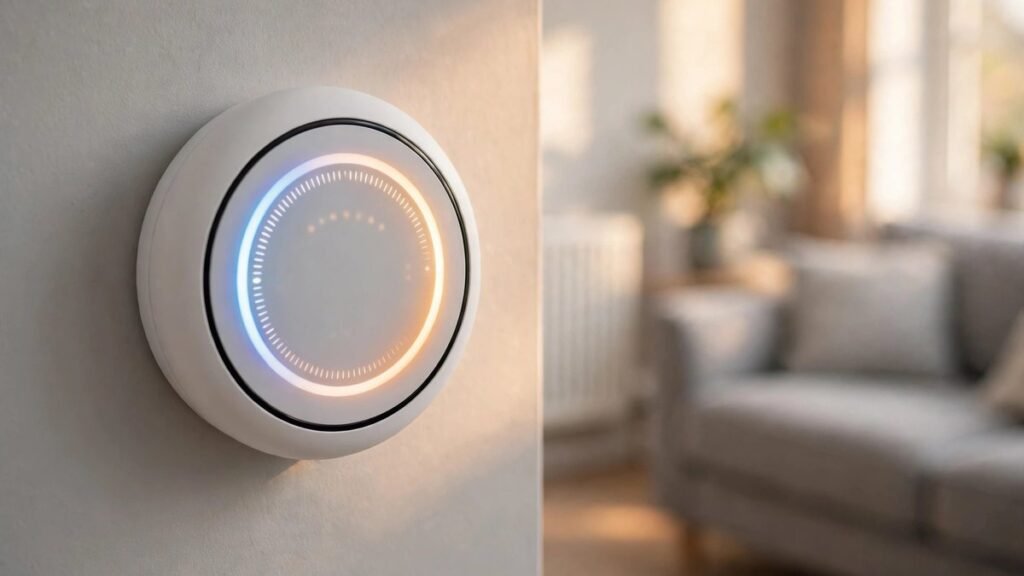
Heating is the biggest part of most UK energy bills. For a typical home, more than half of the gas and electricity used in a year goes on keeping rooms warm and heating water. So it makes sense to ask whether a small device on the wall can cut that cost.
A smart thermostat does one simple job. It controls when your heating comes on, which rooms get warm, and how warm they get. The “smart” part is that you can change it from your phone, it can learn your routine, and it can turn the heating down by itself when nobody is home.
This guide explains everything in plain English. You will learn what a smart thermostat is, how it works with a UK boiler, how much it can really save, what it costs, and which models suit UK homes in 2026. All savings figures come from the Energy Saving Trust and independent UK testing, not from adverts. Prices are guide prices from late 2026 and can vary by shop and installer.
What Is a Smart Thermostat?
A smart thermostat is a heating control that connects to your home Wi-Fi. It replaces the thermostat or programmer on your wall, and it talks to a receiver wired to your boiler. You control it from an app on your phone, by voice, or by turning the dial on the wall, just like a normal thermostat.
The difference is what happens behind the scenes. A normal thermostat only knows one thing: the temperature in the room where it sits. A smart thermostat knows more. It knows the time, the weather outside, and whether anyone is at home. Some models learn the times you usually want heat and build a schedule for you. Others let you set a different temperature in each room when you add smart radiator valves.
In short, a smart thermostat is a normal heating control with a phone app, a schedule that adapts to your life, and sensors that stop it heating an empty house.
How Is It Different from a Normal Thermostat?
A normal room thermostat is a simple switch. You set a temperature, say 20 degrees, and the boiler runs until the room reaches it, then stops. A basic programmer adds times, so the heating comes on at 7 in the morning and goes off at 10 at night.
A smart thermostat does both of those jobs and adds three more:
- Remote control. You can turn the heating on from the train, or turn it off from bed. If you come home early, the house can be warm when you arrive. If you forget to turn the heating off before a weekend away, you can fix it from your phone.
- A schedule that learns. Some models watch when you turn the heating up and down for a week or so, then start doing it for you. Others let you set detailed schedules in the app in a few taps.
- Automatic savings. Geofencing uses your phone location to turn the heating down when the house is empty. Open window detection pauses the heating when a window is opened. Weather adaptation checks the forecast and heats less on mild days.
None of this makes your boiler more efficient on its own. What it does is cut the heating you do not need: empty rooms, empty houses, and hours when everyone is asleep or out. That is where the saving comes from.
How Does a Smart Thermostat Work?
A smart thermostat has two main parts. The thermostat itself sits on the wall in your living room or hallway. The receiver, sometimes called a Heat Link or hub, wires into your boiler or its wiring centre. The two talk to each other by radio, and the thermostat talks to your Wi-Fi router and the app on your phone.
When the room is colder than the temperature you set, the thermostat tells the receiver to fire the boiler. When the room reaches the set temperature, it tells the boiler to stop. That part works just like a normal thermostat.
The smart features sit on top of that basic job. Here are the main ones, and what each one does in a real home.
Learning Your Routine
Some models, such as the Google Nest Learning Thermostat, watch how you use the dial for the first week or two. If you turn the heating up at 7 in the morning and down at 10 at night, it starts doing that by itself. After a while you rarely need to touch it. Other models do not learn, but they make it easy to set a weekly schedule in the app, with different times for weekdays and weekends.
Learning only helps if your routine is fairly regular. If your hours change every week, a fixed schedule you set yourself may suit you better than a learning model.
Geofencing: Heating That Knows When You Are Out
Geofencing uses the location of your phone. You set a boundary around your home, often a few hundred metres. When the last phone in the household leaves that boundary, the thermostat drops to a lower temperature, often called Away or Eco mode. When someone comes back inside the boundary, it warms the house up again.
This is one of the biggest sources of real savings, because many homes heat empty rooms for hours each day. Some brands include geofencing free, while others, such as Tado, put automatic geofencing behind a paid monthly plan. Check this before you buy, because a feature that costs extra each month changes the payback maths.
Weather Adaptation and OpenTherm
Weather adaptation checks the forecast online. On a mild morning it heats less, and on a cold snap it starts earlier so the house is warm on time. It is a small effect, but it adds up over a winter.
OpenTherm is a way for the thermostat to talk to a compatible boiler in more detail. Instead of just switching the boiler on and off, it can ask the boiler to run at a lower output, which suits condensing boilers and can use less gas. Not every UK boiler supports OpenTherm, so check your boiler manual or ask your installer before paying extra for this feature.
How Much Can a Smart Thermostat Save in the UK?
This is the question most people ask first, and it is also where adverts and real life part company. Many product pages quote savings of 15 to 30 percent. Independent testing in UK homes usually finds less, often between 8 and 15 percent of the heating bill. Which? tested smart thermostats in real homes and found savings of 8 to 16 percent across different household types.
The honest answer is that the saving depends on how you heat your home now. A smart thermostat does not make heat cheaper. It stops you paying for heat you do not need.
What the Energy Saving Trust Says
The Energy Saving Trust is the independent UK source for savings figures, and its numbers are careful. It says installing and using heating controls effectively could save around £100 a year in Great Britain, and £110 in Northern Ireland. That figure covers a full set of controls: a programmer, a room thermostat and thermostatic radiator valves.
It also says turning your room thermostat down by one degree, from 22 to 21 degrees, can save around £120 a year in Great Britain. That change costs nothing, and it is worth doing whether or not you buy a smart thermostat.
The Trust is clear on one point: whether smart heating controls save you money depends on how you control your heating now. If you already use a programmer and a thermostat well, the extra saving may be small. If your heating runs on a rough timer, or heats an empty house, the saving is much bigger.
Real-World Savings Versus Advertised Claims
Here is a fair summary of what UK homes actually see:
| Source of figure | Saving | What it measures |
|---|---|---|
| Manufacturer adverts | 15 to 30% | Best case, compared with poor manual control |
| Independent UK testing | 8 to 15% | Typical homes, mixed habits |
| Which? real-world test | 8 to 16% | Different household types |
| Energy Saving Trust, heating controls | Around £100 a year | Typical GB home with controls fitted |
| Energy Saving Trust, 1 degree lower | Around £120 a year | Turning the thermostat from 22 to 21 degrees |
A typical UK home spends roughly £870 a year on heating under recent price cap rates. At 8 to 15 percent, that is about £70 to £130 a year. Homes with a larger bill, or with very loose heating habits, can save more in pounds. Homes that already run a tight schedule may save close to nothing.
One large UK provider found its customers used about 6 percent less gas in the year after installing a smart thermostat. That is a useful reality check: the device helps, but it is not a miracle.
A Simple Payback Example
Take a typical three-bedroom semi-detached home. A smart thermostat costs around £80 to £220 for the device, depending on the model. With professional installation, the total is often £150 to £350. If it saves £75 to £130 a year, it pays for itself in about two to three years. After that, the saving is money back in your pocket each year.
The payback is faster if your home has no heating controls at all, because the smart thermostat is doing the job of a programmer and a thermostat as well. It is slower if you already have a good programmable thermostat that you use well. In that case, think of the smart thermostat as paying for comfort and control, not just savings.
Is a Smart Thermostat Worth It for Your Home?
A smart thermostat is worth it for many UK homes, but not for all of them. The deciding factor is not the size of your house or the brand you pick. It is how much avoidable heating you have now.
Homes That Gain the Most
You are likely to gain the most if any of these sound familiar:
- Your heating runs on a fixed timer and heats the house when nobody is in.
- You often come home to a cold house, or leave the heating on by accident.
- Your household has irregular hours, so a fixed timer never quite fits.
- Some rooms are rarely used, but they still get heated with the rest of the house.
- You have no thermostat or programmer at all, only a manual boiler switch.
In these homes, the app control, the schedule and the geofencing all remove real waste. The payback is usually two to three years, and the comfort gain starts on day one.
Homes That Gain Little
You may gain little if you already have a programmable thermostat, you set it carefully, and you turn the heating down when you go out. In that case a smart thermostat mostly adds remote control and a nicer app. That can still be worth it for comfort, but do not buy it expecting a big cut in your bill.
Renters should check with their landlord before replacing a thermostat, because the receiver is wired into the boiler. Some smart thermostats can be fitted without changing the boiler wiring, but most need a wired receiver, and that is a change to the property.
If your boiler is very old, or your radiators have no thermostatic valves, talk to a heating engineer first. Sometimes a simple programmer and a set of radiator valves give you most of the saving for less money.
Best Smart Thermostats for UK Homes in 2026
The UK market has five names that come up again and again. They all work with most UK boilers, but they suit different homes and budgets. Prices below are guide prices from late 2026 and move around, so check the retailer before you buy.
Tado X Smart Thermostat
Tado X is the best all-round choice for most UK homes in 2026. Starter kits cost from around £130. It supports Matter and Thread, so it should work with new smart home systems for years to come. It also supports OpenTherm, which lets it control a compatible boiler more gently and use less gas.
Its strongest point is energy saving. Geofencing, weather adaptation and open-window detection all work well. The catch is that automatic geofencing needs Tado’s paid plan, often called Auto-Assist, at around £3 to £4 a month. Without it, the app only reminds you to turn the heating off. Tado also sells smart radiator valves, so you can heat rooms one by one. If saving money is your main goal, Tado X is the one to look at first.
Google Nest Learning Thermostat (3rd Generation)
The Nest Learning Thermostat costs around £219. It is the best-looking thermostat on the wall, with a heavy metal ring and a clear display, and it learns your routine in about a week. There is no monthly fee, and it works with Google Home and voice control.
One thing to know before you buy: Google has said it will not launch new Nest thermostats in Europe. The 4th generation Nest is a US-only product. The 3rd generation is still sold and supported in the UK, but it is the last of its line, so you are buying remaining stock of an older design. It also has no Apple HomeKit support. If you want a thermostat that learns by itself and you do not want a subscription, it is still a strong choice.
Hive Thermostat and Hive Mini
Hive is the smart thermostat from British Gas, and that backing is its practical advantage. The Hive Thermostat costs around £119, and the Hive Mini costs around £79, which makes it the cheapest way into a smart thermostat from a major brand. Both work with Alexa, Google Assistant and Apple HomeKit.
Hive is the easiest system to live with if you are new to smart heating. The app is simple, the controls are familiar, and British Gas can install it for you. It also controls hot water, which matters if you have a hot water cylinder. The optional Hive+ plan costs around £3.99 a month and adds extra features, but the basic thermostat works fine without it. Hive is a good pick if you want reliability and a simple app more than the most advanced energy-saving tools.
Other Options Worth a Look
Two more names are worth knowing. The Drayton Wiser system is popular with heating engineers, and it is one of the cheapest ways to control rooms one by one without a monthly fee. The Honeywell Home T6R is a solid, no-nonsense option that works with a wide range of boilers. Neither has the marketing muscle of Nest, Hive or Tado, but both are well made and well supported in the UK.
Smart Thermostat Comparison
| Model | Guide price | Best for | Monthly fee | Geofencing | Hot water control |
|---|---|---|---|---|---|
| Tado X | From £130 | Saving the most energy | Around £3 to £4 for Auto-Assist | Yes, with paid plan | Yes |
| Google Nest Learning (3rd gen) | Around £219 | Learning your routine | None | Yes, free | Yes |
| Hive Thermostat | Around £119 | Simple controls, British Gas install | Optional Hive+ £3.99 | Yes | Yes |
| Hive Thermostat Mini | Around £79 | Lowest cost from a major brand | Optional Hive+ £3.99 | Yes | Yes |
| Drayton Wiser Kit 1 | Around £130 to £180 | Room-by-room control, no fee | None | Yes | Yes |
| Honeywell Home T6R | Around £130 to £170 | Wide boiler compatibility | None | Limited | Yes |
Prices are guide prices from late 2026. Check the retailer for the current price, and check whether installation is included.
Will a Smart Thermostat Work With Your Boiler?
Most smart thermostats work with most UK boilers, but it is worth checking before you buy. The UK has three common boiler types, and the thermostat connects to each one in a slightly different way.
Combi Boilers
A combi boiler heats water on demand and has no hot water cylinder. This is the most common boiler in UK homes. All the major smart thermostats work with combi boilers. The receiver wires into the boiler, and the thermostat controls heating only, since there is no stored hot water to manage.
System and Heat-Only Boilers
System boilers and heat-only boilers work with a hot water cylinder. The smart thermostat can control both heating and hot water, so you can set hot water times in the app as well. Hive and Nest both handle hot water control well. If you have a cylinder, make sure the kit you buy includes hot water control, because some cheaper kits are heating-only.
Heat Pumps
Heat pumps work best when they run for long periods at a low temperature, which is different from how a gas boiler works. Some smart thermostats have a heat pump mode, and Tado and Hive both offer settings for heat pumps. If you have a heat pump, check the thermostat maker’s compatibility list before buying, and ask your installer whether your heat pump needs a specific control.
What About Wiring and the C-Wire?
UK homes run on 230 volt mains power, and most smart thermostats are built for that. Some models need a common wire, often called a C-wire, to power the thermostat. Many UK homes do not have one, but the main brands solve this in their own way: Nest uses its Heat Link receiver, Hive uses a receiver, and Tado uses a wireless receiver. In practice, the receiver does the wired work and the thermostat on the wall runs on batteries or its own power. If your wiring is old or unusual, a professional installer can sort it out in the same visit.
How to Install a Smart Thermostat
Installing a smart thermostat has two parts: fitting the receiver to the boiler, and putting the thermostat on the wall. The thermostat itself is easy. The receiver is wired into mains power, so that part needs care.
DIY or Professional Install?
If you are comfortable with basic wiring and you can turn off the power safely, some models are designed for DIY fitting. Tado and Drayton Wiser are often described as the easiest to fit yourself. Even so, most UK households choose professional installation. It usually costs £50 to £100 on top of the device if it is not included in the kit, and it takes about an hour.
Professional install is the right choice if you are not sure about wiring, if your boiler is old, if you have a system boiler with a hot water cylinder, or if you want the installer to check that the thermostat works with your boiler. British Gas and many local heating engineers offer smart thermostat fitting. Some retailers include installation in the price, so compare the total cost, not just the device price.
What the Installer Does
A typical install goes like this. The installer turns off the power to the heating system and removes your old thermostat or programmer. They fit the receiver near the boiler and wire it into the boiler controls. They mount the new thermostat on the wall, usually in the living room or hallway, away from radiators, direct sun and draughts. Then they turn the power back on, connect the thermostat to your Wi-Fi, and test that the boiler fires up and stops as it should.
Good placement matters. A thermostat next to a radiator or in direct sun will read the room as warmer than it is, and the heating will switch off too early. A thermostat in a cold hallway will keep the heating on too long. The living room is usually the best spot, because that is where you spend the most time.
Setting It Up in the App
Once the hardware is fitted, the app setup takes about ten minutes. You create an account, connect the thermostat to your Wi-Fi, and set your first schedule. Set the temperatures for the times you are normally home, and a lower temperature for the night and for times when the house is empty.
Take a week to get it right. Note the times the heating comes on and whether the house feels warm enough. Small changes make a big difference: dropping the daytime setting by one degree can save around £120 a year, according to the Energy Saving Trust.
How to Get the Most Saving From Your Smart Thermostat
A smart thermostat only saves money if you use it well. Fitted and forgotten, it will behave much like the old timer it replaced. These five habits make the real difference.
Set the Right Temperatures
The Energy Saving Trust suggests 18 to 21 degrees for living areas, and a little lower for bedrooms. Set the thermostat to the lowest temperature that still feels comfortable. Many homes are heated to 22 or 23 degrees out of habit, and each degree you drop saves roughly 10 percent of your heating cost.
Use Schedules and Geofencing
Set a schedule that matches your real life, not an ideal week. If you are out on weekdays until 6 in the evening, there is no reason to heat the house from 3. Turn on geofencing if your model includes it, so the heating drops when everyone is out and warms up when someone is on the way home.
Add Smart Radiator Valves for Zoning
A smart thermostat on its own can only control the whole house at one temperature. Smart radiator valves, often called smart TRVs, let you set a different temperature in each room. You can keep the living room warm, the spare bedroom cool, and the bathroom warm only in the morning.
The Energy Saving Trust says adding TRVs to a system that already has a programmer and thermostat can save around £30 a year, and the saving is bigger when the valves are smart and linked to the thermostat. A full set of smart TRVs costs more than the thermostat itself, so start with the rooms you use least, such as the spare bedroom and the study, and add more over time.
Check Your Energy Use in the App
Most smart thermostat apps show how much heating you have used and when. Check it once a month. If you see the boiler running at 2 in the morning, or heating all day on a day everyone was out, your schedule needs fixing. The app report is the easiest way to spot waste you would never notice otherwise.
Keep Your Boiler Serviced
A smart thermostat cannot fix a boiler that is not working well. Have your boiler serviced once a year, and ask the engineer to check the flow temperature. A lower flow temperature suits a condensing boiler and can use less gas. This is a job for a Gas Safe registered engineer, not a DIY task.
Common Smart Thermostat Problems and Fixes
Smart thermostats are reliable, but a few problems come up often. Most have a simple fix.
The Heating Comes On at the Wrong Time
This is usually a schedule problem, not a broken device. Check the app for a schedule you set months ago and forgot, or a holiday mode that is still on. Also check that the thermostat clock and time zone are right, because a wrong time makes every schedule wrong.
The Wi-Fi Keeps Dropping
A thermostat that loses Wi-Fi still controls the heating from the wall, but you lose the app and the remote control. The fix is often to move your router closer, or to add a Wi-Fi extender between the router and the thermostat. Thick walls and metal objects near the thermostat can weaken the signal.
The Boiler Keeps Switching On and Off
This is called short cycling. It can happen when the thermostat is in a draughty spot, or when the temperature sensor is near a heat source. Move the thermostat if you can, or ask your installer to check the boiler settings. If your boiler supports OpenTherm, turning that on can smooth the cycling out.
The App Says the Thermostat Is Offline
First, check your home Wi-Fi is working. Then restart the thermostat by taking it off its wall plate for a few seconds, or by turning the heating power off and on at the fused spur. If it still shows offline, check the maker’s app for a service status message. If the batteries are low, replace them, because a low battery can cause connection problems before the thermostat stops working altogether.
Smart Thermostat vs Programmable Thermostat: What Is the Difference?
A programmable thermostat lets you set heating times for each day of the week. A smart thermostat does that too, and adds remote control, learning, geofencing and energy reports.
Here is the short version. If you want to set heating times and leave them alone, a programmable thermostat is enough, and it costs much less. If you want to change the heating from your phone, have it turn down when you go out, and see how much energy you use, a smart thermostat is worth the extra money.
The Energy Saving Trust makes the same point in a different way: a smart thermostat is most useful when it replaces missing or poor controls. If you already have a good programmable thermostat and you use it well, the extra saving from going smart may be small.
Do Smart Thermostats Work Without Wi-Fi?
Yes, but with limits. If your Wi-Fi goes down, the thermostat on the wall still works as a normal thermostat, and you can still turn the heating up or down by hand.
What stops working is everything that needs the internet: the phone app, remote control, geofencing, and weather adaptation.
Quick Takeaways
- A smart thermostat controls your heating from your phone, learns your routine, and turns the heating down when nobody is home.
- Real UK savings are usually 8 to 15 percent of the heating bill, not the 15 to 30 percent in adverts.
- The Energy Saving Trust puts heating controls at around £100 a year saved, and turning the thermostat down by one degree at around £120 a year.
- A typical device costs £80 to £220, and £150 to £350 with installation. Payback is usually two to three years.
- Tado X suits saving the most energy, Nest suits hands-off learning, and Hive suits simple controls with British Gas installation.
- Check boiler compatibility before you buy, and check whether geofencing needs a paid monthly plan.
- Smart radiator valves add room-by-room control and are the biggest extra saving after the thermostat itself.
Smart Thermostat FAQs
How much does a smart thermostat save in the UK?
A typical UK home saves 8 to 15 percent of its heating bill, which is roughly £70 to £130 a year on a typical heating spend of around £870. The Energy Saving Trust puts the saving from heating controls at around £100 a year in Great Britain. Homes with loose heating habits save more, and homes that already run a tight schedule save less. Adverts that quote 15 to 30 percent are describing a best case, not a typical home.
Do I need a professional to install a smart thermostat?
Not always, but it is often the best choice. The receiver wires into mains power at the boiler, so if you are not comfortable with wiring, pay for installation, usually £50 to £100. Some models, such as Tado and Drayton Wiser, are designed for DIY fitting. Professional install is the right call for old boilers, system boilers with a hot water cylinder, and any home where the wiring is unclear.
Will a smart thermostat work with a combi boiler?
Yes. All the major smart thermostats, including Nest, Hive, Tado, Drayton Wiser and Honeywell Home, work with combi boilers. The thermostat controls heating only, because a combi boiler has no hot water cylinder. If you have a system or heat-only boiler, the thermostat can also control your hot water times.
Is a smart thermostat worth it if I already have a programmable thermostat?
It depends on how well you use the one you have. If your programmable thermostat is set carefully and you turn the heating down when you go out, a smart thermostat may save you little extra. It still adds remote control, geofencing and energy reports, which many people find useful. If your current timer is rough, or the heating often runs in an empty house, a smart thermostat is likely worth it.
Do smart thermostats need a monthly subscription?
No, not for the basic job. Nest, Hive and Drayton Wiser work without a monthly fee. Tado puts automatic geofencing and some other features behind a paid plan at around £3 to £4 a month. Hive offers an optional Hive+ plan at around £3.99 a month. Check what is included free before you buy, because a monthly fee changes the payback time.
Conclusion
A smart thermostat is a practical upgrade for most UK homes, but buy it with clear eyes. It does not make heat cheaper. It stops you paying for heat you do not need: empty rooms, empty houses, and hours when everyone is asleep or out. Used well, a typical home can save 8 to 15 percent of its heating bill, roughly £70 to £130 a year. At a fitted cost of £150 to £350, it usually pays for itself in two to three years, and the comfort starts straight away.
The best choice depends on your home. If saving money is the priority, Tado X has the strongest energy-saving tools, but its automatic geofencing needs a paid plan. If you want a thermostat that learns your routine with no monthly fee, the Nest Learning Thermostat is still a strong pick. If you want simple controls and the backing of British Gas, Hive is the easiest system to live with. Whichever you choose, check it works with your boiler, check whether the features you want need a subscription, and set the temperature to the lowest level that still feels comfortable.
Before winter, have your boiler serviced and read our smart home upgrades guide for the next steps. A well-set smart thermostat and a healthy boiler are the simplest way to keep a UK home warm without wasting money.